 By Editorial Team
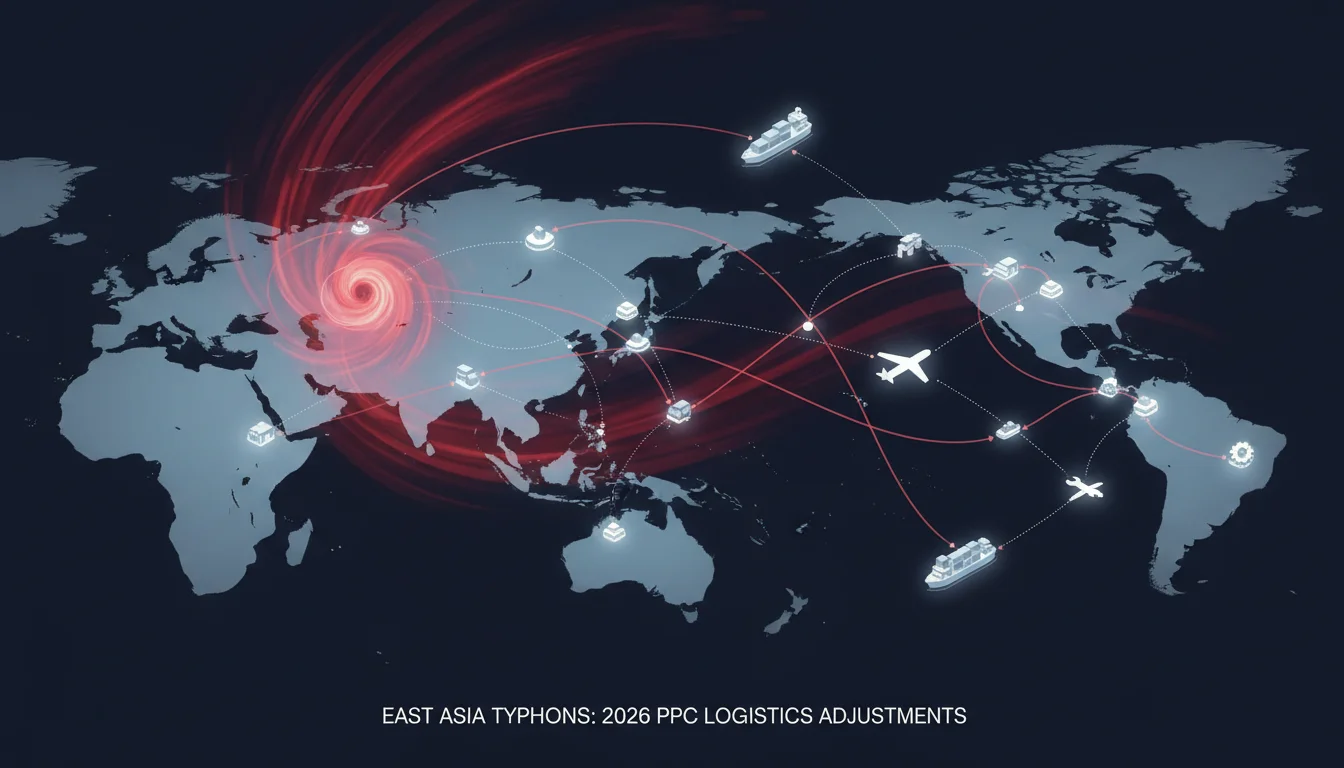
The East Asia typhoon season, running from May to November, presents unique challenges for logistics operations, demanding proactive adjustments in pay-per-click (PPC) campaigns to maintain efficiency and mitigate disruptions. Successfully working through this period requires a strategic approach to ad targeting, budgeting, and messaging. How can logistics firms effectively adapt their PPC strategies to minimize impact and maximize reach during these volatile months?
Key Takeaways
- Implement geo-targeting exclusions for affected regions in Google Ads Manager to prevent wasted ad spend on undeliverable areas.
- Adjust daily campaign budgets by 15-20% for active regions to capitalize on shifting demand patterns and maintain ad visibility.
- Create specific ad copy variations that acknowledge potential delays or offer alternative solutions, ensuring transparency with customers.
- Use Google Analytics 4’s predictive audience feature to identify and target resilient demand segments during weather events.
- Schedule regular, ideally daily, performance reviews of affected campaigns to make real-time adjustments based on evolving weather forecasts and operational capacities.
Configuring Geo-Targeting Adjustments in Google Ads Manager (2026 Interface)
Typhoons can severely restrict transportation routes, making certain regions temporarily inaccessible. Continuing to serve ads to these areas results in wasted ad spend and frustrated potential customers. The first critical step is to adjust your geo-targeting.
Step 1: Accessing Campaign Settings for Geo-Targeting
- Log in to your Google Ads Manager account.
- In the left-hand navigation menu, click on Campaigns.
- Select the specific logistics campaign you wish to modify. For instance, if you have a campaign targeting “Express Freight East Asia,” click on that.
- Within the campaign dashboard, navigate to Settings, typically found on the left-hand side panel.
- Under “Settings,” locate and click on Locations.
Pro Tip: Before making any changes, it’s wise to review your existing location reports. Google Ads Manager offers detailed geographical performance data under Locations > Geographic Report. This can highlight areas already underperforming or costing more per conversion, which might be early indicators of weather-related issues. A report from eMarketer in 2023 indicated that granular geo-targeting adjustments can improve ad efficiency by up to 18% for businesses with physical logistics constraints.
Step 2: Implementing Location Exclusions and Bid Adjustments
- On the “Locations” page, click the blue pencil icon (Edit locations) to make changes.
- You’ll see options to “Target” or “Exclude” locations. Select Exclude.
- Type in the names of the provinces, cities, or even specific ports that are currently or forecast to be impacted by a typhoon. For example, if Typhoon Haishen is projected to hit Fukuoka, Japan, you would type “Fukuoka” and select the appropriate entry.
- Click Save.
- For regions that might experience minor disruptions but remain operational, consider applying negative bid adjustments. Back on the “Locations” page, find the targeted region, and under the “Bid Adj.” column, select Decrease. A 10-20% decrease is a good starting point, reflecting reduced service capacity without completely cutting off the region.
Common Mistake: Many advertisers exclude too broadly. Instead of excluding an entire country, focus on specific affected provinces or cities. This maintains reach to unaffected areas within the same country. You should also consult real-time weather alerts from reputable meteorological agencies. The Japan Meteorological Agency (JMA) or the Hong Kong Observatory (HKO) provide accurate, up-to-the-minute forecasts that are invaluable for these decisions.
Expected Outcome: Reduced wasted ad spend on inaccessible areas, improved click-through rates (CTR) for remaining active regions, and a more relevant ad experience for users who are still able to receive services.
Adjusting Budgeting and Bidding Strategies
Typhoon season creates unpredictable demand shifts. Some areas may see a surge in urgent logistics needs before a storm, while others experience a complete halt. Your budget and bidding must be flexible enough to respond.
Step 1: Modifying Daily Campaign Budgets
- From the Google Ads Manager dashboard, select your campaign.
- Go to Settings and then click on Budget.
- To increase your daily budget for areas anticipating higher demand (e.g., pre-typhoon preparation), click Edit daily budget and manually increase the amount. A temporary 15-20% increase can help capture this demand.
- Conversely, for campaigns targeting severely affected regions, consider pausing the campaign entirely or significantly reducing the daily budget by 50-70% until conditions improve.
Pro Tip: Don’t rely solely on manual adjustments. Consider implementing a shared budget strategy for campaigns that target different parts of East Asia but offer similar services. This allows Google’s automated bidding to reallocate budget more efficiently across campaigns as demand shifts. You can set this up under Tools and Settings > Shared Library > Shared Budgets.
Step 2: Adapting Automated Bidding Strategies
- Within your campaign settings, navigate to Bidding.
- If you’re using a Smart Bidding strategy like “Target CPA” or “Maximize Conversions,” Google’s algorithms will naturally adapt to changes in conversion rates caused by the typhoon. However, if you see a drastic drop in conversions in a particular region, the system might struggle.
- For critical, high-volume keywords, consider temporarily switching to an Enhanced CPC strategy. This gives you more control over individual keyword bids while still allowing Google to make minor adjustments to improve conversion chances.
- Alternatively, for campaigns in less affected regions, you might increase your Target CPA or Target ROAS to signal to the system that you’re willing to pay more for conversions, acknowledging the potentially higher value of successful deliveries during challenging times.
Common Mistake: Setting it and forgetting it. Automated bidding strategies are powerful, but they require oversight during volatile periods. Daily checks on performance metrics like conversion rate, cost per conversion, and impression share are essential. If you notice a significant divergence from typical performance, intervention might be necessary.
Expected Outcome: More efficient allocation of ad spend, ensuring your budget is directed towards regions where logistics are still feasible and demand is present. This helps maintain a stable return on ad spend (ROAS) even amidst disruptions.
Crafting Responsive Ad Copy and Landing Pages
Transparency is paramount during weather-related disruptions. Your ad copy and landing pages must reflect the current situation and manage customer expectations.
Step 1: Developing Typhoon-Specific Ad Copy
- In Google Ads Manager, navigate to your campaign and then click on Ads & Extensions.
- Click the blue plus icon to create new ads or edit existing ones.
- Create at least two new Responsive Search Ads (RSAs) for each affected campaign.
- In your headlines and descriptions, incorporate phrases that acknowledge potential delays or offer specific solutions. Examples include:
- Headline 1: “East Asia Freight: Typhoon Updates”
- Headline 2: “Reliable Logistics Despite Storms”
- Description 1: “Monitoring forecasts closely. Expect minor delays in X region. Contact us for current ETAs.”
- Description 2: “Alternative routes available for urgent shipments. Get a quote now.”
- Pin these headlines and descriptions to specific positions (e.g., Headline 1 Position 1, Description 1 Position 1) to ensure they always appear.
Pro Tip: Use Google Ads’ Ad Customizers for even more dynamic messaging. You can upload a data feed with real-time status updates for different regions. For instance, an ad customizer could display “Shipping to Tokyo: Minor Delays” or “Shipping to Osaka: Normal Service” based on your operational data. This level of real-time relevance dramatically improves user experience and trust.
Step 2: Updating Landing Page Content
- Ensure the landing page linked from your typhoon-specific ads clearly communicates your operational status. This isn’t just about ads, it’s about the entire user journey.
- Add a prominent banner or pop-up notification at the top of your landing page detailing areas affected by typhoons, expected delays, and any alternative services you’re offering.
- Include a clear call to action (CTA) that directs users to a dedicated “Typhoon Updates” page or a customer service contact for personalized assistance.
Common Mistake: Discrepancy between ad copy and landing page. If your ad promises “real-time updates” but the landing page shows outdated information, you’ll lose trust and increase bounce rates. Ensure a consistent message across all touchpoints. A 2023 IAB report on digital advertising emphasized the growing importance of transparency, especially during crises, to maintain consumer confidence.
Expected Outcome: Increased customer trust due to transparent communication, reduced customer service inquiries regarding shipping status, and higher conversion rates from users who appreciate the clear information.
Using Audience Insights and Predictive Audiences
Understanding how your audience reacts during typhoon season can inform more precise targeting. Google Analytics 4 (GA4) offers powerful tools for this.
Step 1: Identifying Impacted Audience Segments in GA4
- Log in to your Google Analytics 4 property.
- In the left-hand navigation, go to Reports > Engagement > Pages and Screens. Analyze which landing pages related to East Asia logistics see a drop in traffic or engagement during initial typhoon warnings.
- Next, go to Reports > Demographics > Demographics overview to see if specific age groups or genders in affected regions are exhibiting different behavior.
- Use Reports > Tech > User attributes > Devices to understand if mobile users in these regions are behaving differently, perhaps searching for last-minute solutions.
Pro Tip: Create custom segments in GA4 for users from typhoon-affected regions who visited your site during previous typhoon events. Analyze their behavior: What did they search for? Which services did they inquire about? This historical data is important for anticipating future needs. For example, some might be looking for air freight alternatives if sea routes are closed.
Step 2: Using GA4’s Predictive Audiences for Ad Targeting
- In GA4, go to Admin > Audience definitions > Audiences.
- Click New audience.
- Explore the “Predictive” audience templates. For example, “Likely 7-day purchasers” or “Likely 7-day churning users.”
- While these aren’t directly typhoon-related, you can combine them with geographical filters. For instance, create an audience of “Likely 7-day purchasers” who are located in a region not currently impacted by a typhoon but might experience an influx of redirected demand.
- Export these custom audiences directly to your Google Ads Manager account by linking your GA4 and Google Ads properties (Admin > Product links > Google Ads links).
Common Mistake: Over-relying on broad demographic targeting. During typhoon season, user intent and immediate logistical needs become far more important than general demographics. Focus on behavioral data and real-time geographical impact. The goal is to find those still actively seeking logistics solutions, not just those who fit a demographic profile.
Expected Outcome: More precise targeting of users with high intent, even during disruptions, leading to better conversion rates and a more efficient use of your ad budget by avoiding those who are unlikely to convert due to external circumstances.
Monitoring and Iterating Performance
Typhoon events are dynamic. Your PPC strategy must be too. Continuous monitoring and rapid iteration are non-negotiable.
Step 1: Setting Up Custom Reports and Alerts in Google Ads Manager
- In Google Ads Manager, go to Reports (top menu bar) and then Custom reports.
- Create a new custom report focusing on key metrics for your East Asia campaigns: Conversions, Cost per Conversion, CTR, and Impression Share. Segment this report by “Location (User Location).”
- Schedule this report to run daily and be emailed to your team.
- Under Tools and Settings > Rules, set up automated rules. For example, a rule to pause ads in a specific location if the conversion rate drops below a certain threshold for 24 hours, or to increase bids for a keyword if its impression share is too low in an unaffected region.
Pro Tip: Integrate Google Ads data with other operational data, such as real-time shipping capacity and port closures. Tools like Google Data Studio (now Looker Studio) can help visualize this combined data, providing a well-rounded view of your logistics network and PPC performance. This integration makes decision-making much faster and more informed.
Step 2: Conducting Daily Performance Reviews
- At the start of each day, review the custom reports and automated rule actions.
- Check weather forecasts for East Asia from reliable sources. Compare these forecasts with your campaign performance. Are ads still running in areas now under severe storm warnings? Are bids too low in regions that have cleared up?
- Make immediate, data-driven adjustments to geo-targeting, budgets, and ad copy based on the latest information. Don’t wait for weekly or monthly reviews.
- Document all changes. This creates a valuable historical record for future typhoon seasons, allowing you to refine your response strategy over time.
Common Mistake: Infrequent monitoring. A PPC strategy for typhoon season is not a “set it and forget it” endeavor. The situation changes rapidly, sometimes hourly. Delays in response can lead to significant wasted spend or missed opportunities. This requires a dedicated team member or agency to be actively managing campaigns.
Expected Outcome: Agile campaign management that adapts to real-time events, minimizing negative impacts during typhoon season and allowing your logistics PPC campaigns to remain effective and responsive to evolving market conditions. This proactive approach ensures business continuity and maintains a competitive edge.
Successfully working through the East Asia typhoon season with your PPC logistics campaigns demands vigilance, adaptability, and a commitment to data-driven decision-making. By carefully adjusting geo-targeting, budgets, ad copy, and using audience insights, logistics providers can maintain operational efficiency and customer trust even amidst the most challenging weather events.
How frequently should I check weather forecasts for East Asia during typhoon season to inform PPC adjustments?
During typhoon season, it is advisable to check weather forecasts from authoritative meteorological agencies at least once daily, and more frequently (every 4-6 hours) when a typhoon is actively developing or making landfall in a region relevant to your logistics operations.
Should I pause all my PPC campaigns targeting an entire country if a major city within it is affected by a typhoon?
No, it’s generally more effective to implement granular geo-targeting exclusions for specific affected provinces, cities, or ports rather than pausing campaigns for an entire country. This ensures you maintain reach to unaffected areas and avoid unnecessary loss of potential business.
What’s the best way to inform customers about potential shipping delays due to typhoons in my PPC ads?
In your ad copy, use clear, concise language in headlines and descriptions to acknowledge potential delays or offer alternative solutions. Pin these critical messages in Responsive Search Ads to ensure they are consistently displayed. Always link to a landing page with more detailed, up-to-date information.
Can automated bidding strategies handle typhoon-related demand fluctuations on their own?
While automated bidding strategies can adapt to changes, extreme and sudden fluctuations caused by typhoons may challenge their effectiveness. It’s important to monitor performance daily and be prepared to make manual adjustments or temporarily switch to more controlled strategies like Enhanced CPC for critical campaigns.
What data sources are most reliable for tracking typhoon-related disruptions for PPC logistics campaigns?
Rely on official meteorological agencies like the Japan Meteorological Agency (JMA), Hong Kong Observatory (HKO), or the Philippine Atmospheric, Geophysical and Astronomical Services Administration (PAGASA) for weather forecasts. Supplement this with real-time operational updates from port authorities and shipping news outlets to understand logistical impacts.


