 By Editorial Team
Key Takeaways
- Access the AI Campaign Builder in Zeta Global’s platform by working through to “Campaigns” then selecting “New Campaign” and choosing the “Brand-Centric PPC” template.
- Configure your brand’s core messaging and visual guidelines within the “Brand Identity” module, ensuring consistency across all AI-generated ad creatives and copy.
- Define your target audience segments by integrating CRM data and third-party insights directly into the “Audience Segmentation” panel for precise AI targeting.
- Use the “Performance Monitoring Dashboard” to analyze real-time campaign metrics and fine-tune AI bidding strategies based on conversion rates and brand sentiment.
- Regularly review the AI’s suggested optimizations in the “Recommendation Engine” to maintain campaign relevance and adapt to evolving market conditions.
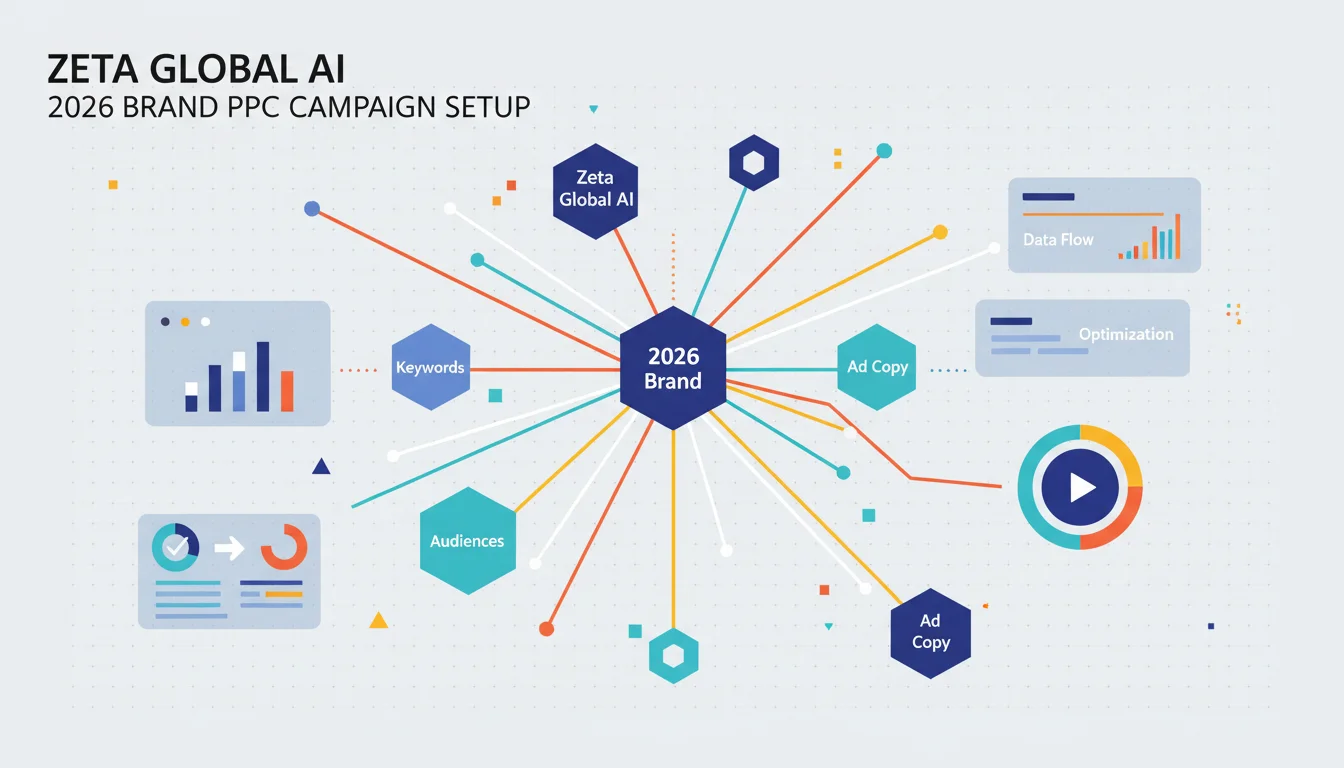
In 2026, the convergence of advanced artificial intelligence and programmatic advertising has reshaped how brands approach paid search. Zeta Global’s AI offers a sophisticated framework for crafting truly brand-centric PPC campaigns, moving beyond mere keyword matching to resonate deeply with consumer intent. This tutorial guides you through setting up and managing a PPC campaign designed to reinforce your brand’s unique identity while driving measurable performance.
Initiating Your Brand-CentCentric PPC Campaign
Starting a new campaign within the Zeta Global platform requires a clear understanding of your brand’s objectives. Many marketers jump straight to keywords, but that’s a mistake here. We begin with brand identity.
Accessing the AI Campaign Builder
- Log in to your Zeta Global account. On the main dashboard, locate the left-hand navigation pane.
- Click on “Campaigns” to expand the menu.
- Select “New Campaign” from the dropdown options.
- The platform will present a list of campaign templates. Choose “Brand-Centric PPC”. This template is specifically engineered to integrate your brand’s guidelines from the outset, rather than as an afterthought.
- Provide a descriptive “Campaign Name” (e.g., “Q3 2026 Product Launch – Brand Awareness”) and set your desired “Campaign Dates”. I always advise setting a realistic end date, even for evergreen campaigns, so you’re forced to review performance periodically.
Pro Tip: Before even entering the platform, have a concise campaign brief ready. This should include your core message, target audience, and key performance indicators (KPIs). The AI will ask for this information, and having it prepped saves significant time and ensures consistency.
Common Mistake: Rushing through the initial setup. The foundational data you input here directly influences the AI’s ability to generate relevant, on-brand ad copy and targeting parameters. Incomplete information leads to generic outputs, which defeats the purpose of a brand-centric approach.
Expected Outcome: A new campaign shell is created, pre-configured for brand integration. You’ll be immediately prompted to define your brand identity.
Defining Your Brand Identity and Guidelines
This is where Zeta Global’s AI truly differentiates itself. Instead of simply feeding the AI keywords, you feed it your brand’s essence. This module ensures every ad, every headline, every description aligns with your established brand voice and visual standards.
Configuring the Brand Identity Module
- Within your newly created campaign, you’ll see a prompt to “Define Brand Identity”. Click this.
- Brand Voice & Tone: Use the provided text fields to input your brand’s primary messaging. Are you formal, casual, innovative, traditional? Provide examples of approved taglines and value propositions. The AI uses natural language processing (NLP) to understand these nuances.
- Visual Guidelines: Upload your brand’s logo, primary color palettes (hex codes are preferred), and any approved imagery or video assets. The platform integrates with common digital asset management (DAM) systems, so connecting your existing library via the “DAM Integration” button is often the most efficient route.
- Forbidden Terms & Phrases: This is a critical, often overlooked, section. List any words, phrases, or competitor names your brand explicitly avoids in its marketing communications. This prevents embarrassing missteps.
- Brand Story & Values: In a dedicated section, articulate your brand’s mission, vision, and core values. This contextual information helps the AI generate emotionally resonant ad copy. According to a 2025 eMarketer report, consumers increasingly prioritize brands that align with their personal values, making this step more important than ever.
- Click “Save Brand Profile” to lock in these settings.
Pro Tip: Think of this as training the AI to be your brand’s most diligent copywriter and designer. The more detailed and specific you are here, the better its output will be. Consider conducting a workshop with your brand and marketing teams to solidify these guidelines before inputting them.
Common Mistake: Providing vague or outdated brand guidelines. The AI is only as good as the data it receives. If your brand voice has evolved, ensure the platform reflects the current iteration.
Expected Outcome: Your brand’s unique identity is now embedded within the AI, influencing all subsequent ad generation and optimization processes. This forms the bedrock for consistent, on-brand communication across all PPC channels.
Audience Segmentation and Targeting with AI
Effective PPC is about reaching the right person with the right message. Zeta Global’s AI uses a combination of first-party, second-party, and third-party data to build highly granular audience segments, moving beyond broad demographics.
Using AI for Precise Audience Definition
- From your campaign dashboard, navigate to the “Audience Segmentation” tab.
- CRM Data Integration: If not already connected, use the “Connect Data Source” button to link your customer relationship management (CRM) system. Zeta Global supports direct integrations with major CRMs like Salesforce and HubSpot, enabling the AI to analyze purchase history, engagement levels, and customer lifetime value.
- Behavioral & Intent Data: The platform automatically ingests behavioral data from your website and other digital properties. You can further refine this by adding specific intent signals, such as “users who viewed product X but did not purchase” or “users who downloaded whitepaper Y,” through the “Custom Intent Segments” creator.
- Lookalike Audiences: Based on your high-value customer segments, the AI can generate lookalike audiences across various ad networks. Select a source segment (e.g., “Recent Purchasers”) and specify the desired reach percentage. The AI then identifies new users with similar attributes and online behaviors.
- Negative Audiences: Just as important as who you target is who you exclude. Use the “Exclusion Lists” feature to prevent your ads from showing to irrelevant segments, such as existing customers for an acquisition campaign, or users who have already converted.
- Review the projected audience size and demographic breakdown in the “Audience Overview” panel. Adjust parameters as needed.
Pro Tip: Don’t be afraid to experiment with micro-segments. While broad targeting has its place, the power of AI lies in its ability to identify niche groups that respond exceptionally well to specific brand messages. A small, highly engaged segment can outperform a massive, loosely targeted one.
Common Mistake: Relying solely on basic demographic data. In 2026, audience targeting has evolved far beyond age and gender. Ignoring behavioral and intent data means missing out on significant performance gains.
Expected Outcome: Precisely defined audience segments are created and linked to your campaign, ensuring your brand’s PPC ads are delivered to the users most likely to engage and convert, all while maintaining data privacy compliance through anonymized data processing.
AI-Powered Ad Creative and Copy Generation
With your brand identity defined and audiences segmented, the AI can now generate ad creatives and copy that are both on-brand and optimized for performance. This step drastically reduces the manual effort typically associated with A/B testing.
Developing On-Brand Ad Assets
- Navigate to the “Ad Creative Studio” within your campaign.
- Headline & Description Generation: The AI will present several headline and description options based on your brand guidelines, target audience, and campaign objectives. Review these. You can “Edit” individual suggestions or click “Generate More Options” if you need additional variations. The platform also offers a “Brand Fit Score” for each suggestion, indicating its alignment with your predefined brand voice.
- Visual Asset Integration: For display and video ads, the AI will suggest image and video assets from your linked DAM, often recommending specific crops or placements based on ad network specifications. You can also upload new assets directly or use the “AI Image Generator” to create custom visuals that adhere to your brand’s aesthetic.
- Call-to-Action (CTA) Optimization: The AI provides a range of CTA suggestions, dynamically tailoring them to the specific ad type and audience segment. For instance, a “Learn More” CTA might be suggested for an awareness-focused ad, while “Shop Now” would appear for a conversion-focused one.
- Ad Preview & Simulation: Before launching, use the “Ad Preview” feature to see how your ads will appear across various platforms (Google Search, Meta Ads, etc.). The “Simulation Mode” can even predict performance based on historical data and current market trends, offering insights into potential click-through rates and conversion probabilities.
- Select your preferred ad variations and click “Approve & Schedule”.
Pro Tip: Don’t just accept the first suggestions. While the AI is powerful, your human oversight is invaluable. Tweak headlines for stronger emotional appeal or adjust descriptions for greater clarity. The AI learns from your edits, improving its future suggestions.
Common Mistake: Over-relying on the AI’s first draft without review. While the AI is excellent at generating options, human marketers bring the strategic nuance and intuition that can improve good ads to great ones.
Expected Outcome: A diverse set of on-brand, high-performing ad creatives and copy are ready for deployment, automatically optimized for various ad platforms and audience segments, significantly reducing manual creative iteration cycles.
AI-Driven Bidding and Budget Management
Managing bids and budgets across multiple PPC channels is complex. Zeta Global’s AI automates and optimizes this process, ensuring your brand’s campaigns achieve maximum ROI while staying within budget constraints.
Setting Up AI Bidding Strategies
- Navigate to the “Bidding & Budget” section of your campaign.
- Campaign Budget: Input your overall “Daily Budget” or “Lifetime Budget”. The AI will distribute this budget intelligently across your chosen ad networks and segments.
- Bidding Strategy: Select an AI-powered bidding strategy. Common options include:
- Maximize Conversions: The AI will bid to get as many conversions as possible within your budget.
- Target CPA (Cost Per Acquisition): Specify your desired CPA, and the AI will adjust bids to meet this target.
- Target ROAS (Return On Ad Spend): Provide a target ROAS, and the AI will optimize bids to achieve that return.
- Enhanced CPC: This strategy allows the AI to automatically adjust your manual bids up or down based on the likelihood of a conversion.
My advice? Start with Maximize Conversions if you’re focused on direct response, then transition to Target CPA or ROAS once you have sufficient conversion data.
- Bid Adjustments: While the AI handles most adjustments, you can still apply manual bid multipliers for specific devices, locations, or times of day if you have strong historical data supporting these. These manual adjustments act as guardrails for the AI.
- Pacing & Delivery: Choose between “Standard” delivery (spreads budget evenly throughout the day) or “Accelerated” (spends budget faster, potentially exhausting it earlier). For brand-centric campaigns, standard delivery is usually preferred to maintain consistent visibility.
- Click “Save Bidding Settings”.
Pro Tip: AI bidding strategies require data to learn and optimize. Allow your campaign to run for at least 7 to 10 days before making significant changes to the bidding strategy. Premature adjustments can disrupt the AI’s learning phase. According to Google Ads documentation, automated bidding performs best with sufficient conversion volume.
Common Mistake: Constantly changing bidding strategies. This resets the AI’s learning process and can lead to erratic performance. Trust the AI to do its job, especially in the initial phases.
Expected Outcome: Your campaign’s budget and bidding are now managed by AI, dynamically adjusting bids in real-time across various ad networks to achieve your brand’s performance objectives efficiently.
Performance Monitoring and AI Optimization
Launching a campaign is just the beginning. Continuous monitoring and optimization are key to sustaining performance. Zeta Global’s AI provides complete analytics and actionable recommendations.
Analyzing Campaign Performance and Implementing AI Suggestions
- Access the “Performance Monitoring Dashboard” from your campaign overview.
- Key Metrics Overview: Review essential metrics such as impressions, clicks, click-through rate (CTR), conversions, cost per conversion, and return on ad spend (ROAS). The dashboard offers customizable date ranges and segment breakdowns (by audience, ad creative, device, etc.).
- Brand Sentiment Analysis: Unique to brand-centric campaigns, this module tracks mentions and sentiment across various online platforms, providing insights into how your ads are impacting brand perception. A sudden dip in positive sentiment might indicate an off-brand ad or message.
- Recommendation Engine: The AI continuously analyzes your campaign data and provides proactive optimization suggestions. These might include:
- Suggesting new keyword opportunities based on search trends.
- Recommending bid adjustments for underperforming or overperforming segments.
- Proposing new ad creative variations based on engagement metrics.
- Identifying negative keywords to improve ad relevance.
Review each recommendation carefully. You can choose to “Apply”, “Dismiss”, or “Customize” the suggested changes.
- A/B Testing Insights: The platform automatically conducts multivariate testing on your ad creatives and provides insights into which elements (headlines, visuals, CTAs) are driving the best results. Use these insights to refine your brand messaging.
- Schedule regular performance reviews (weekly or bi-weekly) to stay on top of trends and apply optimizations.
Pro Tip: Don’t treat the AI’s recommendations as mandates. They are data-driven suggestions. Combine them with your strategic understanding of the market and your brand. Sometimes, a seemingly less efficient ad might be important for a specific brand awareness goal that raw conversion data doesn’t fully capture.
Common Mistake: Ignoring the recommendation engine or blindly applying all suggestions without understanding the underlying rationale. Always question and evaluate. Your expertise is the final filter.
Expected Outcome: Your campaign performance is continuously monitored, and the AI provides actionable insights and suggestions, allowing for iterative improvements that maintain brand consistency and drive sustained results.
Harnessing Zeta Global’s AI for brand-centric PPC transforms campaign management from a reactive, manual process into a proactive, intelligent system. By deeply embedding your brand identity and using sophisticated audience segmentation, you can ensure every advertising dollar reinforces your brand’s message and drives meaningful engagement.
How does Zeta Global’s AI ensure brand consistency across PPC ads?
Zeta Global’s AI utilizes a dedicated “Brand Identity” module where marketers input core messaging, brand voice, visual guidelines, and forbidden terms. The AI then uses this profile to generate and filter ad copy and creatives, ensuring every output aligns with the brand’s established standards before deployment.
Can I integrate my existing CRM data with Zeta Global’s AI for PPC targeting?
Yes, the platform supports direct integration with major CRM systems like Salesforce and HubSpot. This allows the AI to analyze first-party customer data, such as purchase history and engagement levels, to create highly precise audience segments for PPC campaigns.
What types of AI-powered bidding strategies are available in Zeta Global?
Zeta Global offers several AI-powered bidding strategies, including Maximize Conversions, Target CPA (Cost Per Acquisition), Target ROAS (Return On Ad Spend), and Enhanced CPC. These strategies automatically adjust bids in real-time to achieve specific campaign objectives within budget constraints.
How does the AI help with ad creative generation?
The “Ad Creative Studio” within Zeta Global’s platform generates multiple headline, description, and visual asset options based on your brand guidelines and target audience. It provides a “Brand Fit Score” for each suggestion and can even use an “AI Image Generator” for custom visuals, significantly simplifying the creative process.
How often should I review the AI’s optimization recommendations?
While the AI continuously monitors performance, it’s advisable to review the “Recommendation Engine” at least weekly or bi-weekly. This allows you to evaluate the suggestions in the context of broader market trends and strategic goals, ensuring optimal campaign performance and brand alignment.


