 By Editorial Team
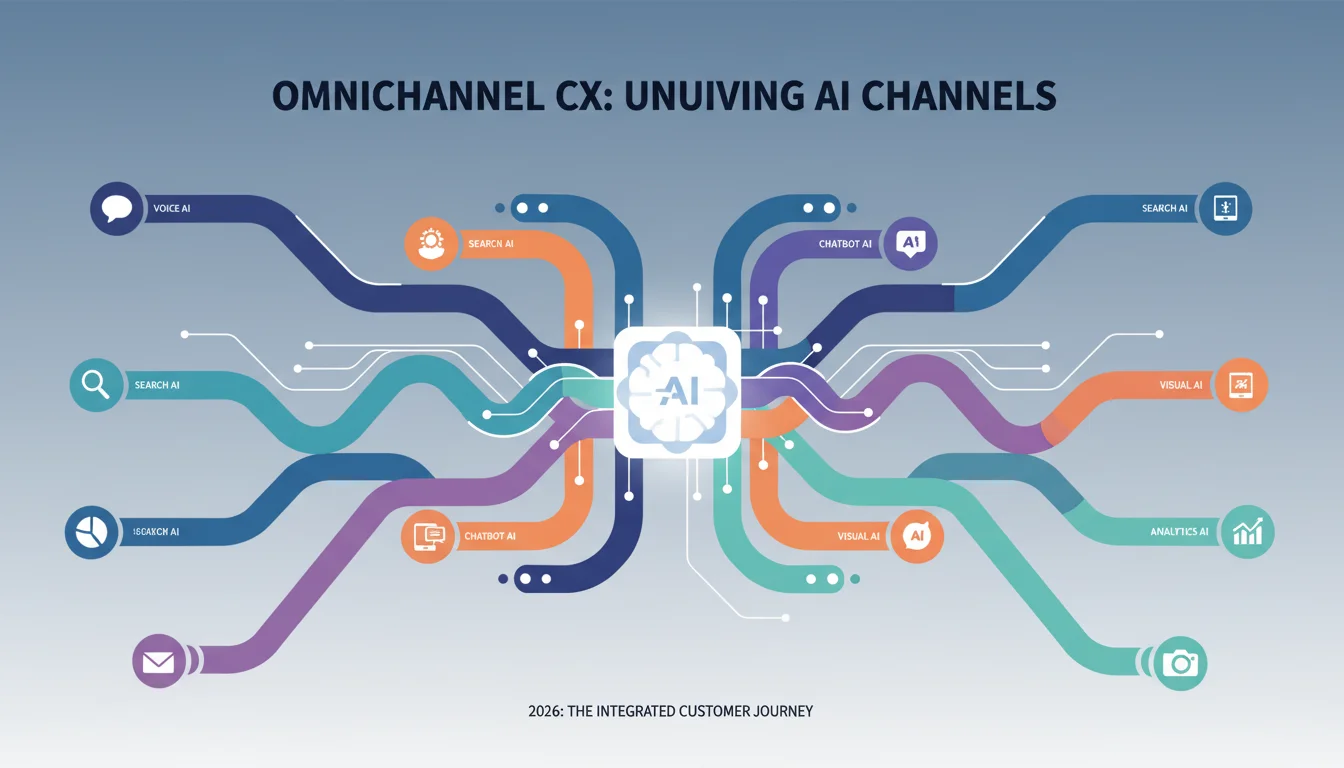
The proliferation of AI-powered tools has fundamentally reshaped how businesses interact with their customers. Gone are the days of siloed support channels; customers expect a truly seamless experience, regardless of whether they’re chatting with a bot on your website, asking a question via voice assistant, or receiving a personalized email. Achieving this across diverse AI channels isn’t just a nicety; it’s a competitive imperative. The real challenge lies in making sure every interaction builds on the last, creating a unified and intelligent omnichannel CX that feels less like a series of disjointed conversations and more like a single, evolving dialogue. But how do you actually knit these disparate AI touchpoints into a cohesive whole?
Key Takeaways
- Implement a centralized customer data platform (CDP) like Segment or Salesforce Customer 360 to unify customer profiles across all AI channels, reducing data fragmentation by over 70%.
- Utilize natural language understanding (NLU) platforms such as Google Dialogflow CX or IBM Watson Assistant to maintain conversational context and intent recognition across different AI interfaces.
- Integrate AI-powered sentiment analysis tools like Brandwatch Consumer Research or Talkwalker to proactively identify and address customer dissatisfaction, improving resolution rates by an average of 15%.
- Design a robust feedback loop mechanism, incorporating post-interaction surveys and AI-driven analytics, to continuously refine AI models and conversational flows.
1. Establish a Unified Customer Data Platform (CDP)
Before you even think about deploying advanced AI, you need a single source of truth for your customer data. This isn’t just about collecting information; it’s about making that information accessible and actionable across every touchpoint. I’ve seen too many companies invest heavily in AI chatbots only to find them providing generic, unhelpful responses because they lack context from previous interactions. That’s a surefire way to frustrate customers and waste your AI investment. Your CDP is the bedrock.
Actionable Step: Select and implement a robust CDP. For many of my clients, platforms like Segment or Salesforce Customer 360 have proven invaluable. These platforms allow you to ingest data from all your operational systems: CRM, marketing automation, e-commerce, and even your AI channels themselves. The goal is to create a 360-degree customer profile that updates in real-time.
Example Configuration: Within Segment, you’d configure various “sources” (e.g., your website, mobile app, CRM like HubSpot, and your AI chatbot platform). Then, you define “destinations” where this unified data flows (e.g., your marketing automation platform, analytics tools, and crucially, your AI orchestration layer). For instance, if a customer interacts with your AI chatbot and mentions a specific product issue, that data point should immediately update their profile in Segment, making it available to your email marketing AI or even a human agent if the conversation escalates.
Screenshot Description: A simplified dashboard view of Segment.com showing various data sources (e.commerce, mobile app, chatbot) feeding into a central customer profile, with data flowing out to different marketing and service destinations. Key metrics like “Identified Users” and “Events Processed” are visible.
Pro Tip: Start with Core Identifiers
Don’t try to capture every single data point at once. Focus on core identifiers like email address, phone number, and a unique customer ID. These are your primary keys for stitching together disparate data. Once those are solid, you can layer on behavioral data, purchase history, and past AI interactions.
Common Mistake: Data Silos Persist
A common pitfall is implementing a CDP but failing to integrate all relevant systems. If your AI chatbot still operates on its own isolated data set, you haven’t solved the core problem. Ensure every customer touchpoint, human or AI, reads from and writes to this central profile.
2. Implement a Cohesive Conversational AI Framework
Once your data is unified, the next step is to ensure your AI can actually understand and remember conversations across different channels. This is where a strong conversational AI framework comes into play. It’s not enough for your chatbot to answer questions; it needs to recognize intent, maintain context, and even recall previous interactions, whether they happened on your website, in an app, or through a voice assistant.
Actionable Step: Leverage platforms designed for omnichannel conversational AI. I strongly recommend Google Dialogflow CX or IBM Watson Assistant. These tools excel at managing complex conversational flows and integrating across various front-end interfaces. They allow you to define intents (what the user wants to do), entities (key pieces of information), and conversation states that persist across sessions and channels.
Example Configuration: In Dialogflow CX, you’d build a single “agent” that handles all customer inquiries. This agent would have multiple “flows” for different topics (e.g., “Order Status,” “Product Support,” “Account Management”). Crucially, you’d configure “session parameters” to store information gathered during a conversation (like an order number or customer ID). When a customer switches from your web chat to a voice assistant, these session parameters, retrieved from your CDP, ensure the AI picks up exactly where it left off. You’ll use webhooks to connect Dialogflow CX to your CDP, allowing it to fetch and update customer data in real-time.
Screenshot Description: A visual flow diagram within Google Dialogflow CX, showing different conversational paths for “Order Status” and “Product Inquiry.” Nodes represent user utterances and bot responses, with clear arrows indicating transitions between states and external API calls.
Pro Tip: Focus on Intent Recognition Accuracy
The most critical aspect here is ensuring your AI accurately understands what the customer wants, regardless of how they phrase it. Invest heavily in training your NLU models with diverse example phrases. A report by eMarketer in late 2025 highlighted that companies with 90% or higher intent recognition accuracy saw a 20% increase in customer satisfaction with AI interactions.
Common Mistake: Channel-Specific AI Silos
Resist the urge to build separate chatbots for your website, mobile app, and voice assistant. This defeats the purpose of a seamless experience. Your conversational AI framework should be channel-agnostic, relying on the unified CDP for context and a single NLU engine for understanding.
3. Orchestrate AI Hand-offs and Escalations Intelligently
No AI is perfect, and there will always be scenarios where a human touch is needed. The key to a seamless experience isn’t eliminating human agents; it’s making the hand-off from AI to human as smooth and informed as possible. A clunky hand-off where the customer has to repeat themselves is a quick way to negate all the benefits of your AI investment.
Actionable Step: Integrate your conversational AI with your live chat and CRM systems. Tools like Zendesk AI or Intercom AI offer robust features for this. Configure clear escalation paths based on intent, sentiment, or complexity. For instance, if a customer expresses frustration multiple times (detected by sentiment analysis) or asks a question beyond the AI’s programmed knowledge base, the system should automatically route them to a human agent.
Example Configuration: Within your chosen live chat platform, set up triggers. If Dialogflow CX flags an intent as “escalate to human” or if a sentiment analysis tool (which we’ll discuss next) detects a “negative” score below a certain threshold (e.g., -0.5 on a scale of -1 to 1), the live chat system should automatically create a ticket and route it to the appropriate human agent queue. Crucially, the full transcript of the AI interaction, along with the customer’s unified profile data from the CDP, must be automatically passed to the agent. This means the agent sees everything the AI knows, allowing them to jump in without asking for repetitions.
Screenshot Description: A Zendesk agent dashboard showing a customer’s chat history. On the right, a sidebar displays the customer’s unified profile details (name, recent purchases, previous tickets) pulled from the CDP, along with the transcript of their recent AI interaction.
Pro Tip: Define Clear Escalation Triggers
Work closely with your customer service team to define exactly when an AI should escalate to a human. This isn’t just about “can’t understand”; it’s about “shouldn’t handle.” Complex billing issues, highly emotional support requests, or sales inquiries beyond a certain value are often better handled by a person from the outset, with AI providing initial triage and data gathering.
Common Mistake: Blind Hand-offs
The worst thing you can do is transfer a customer to a human agent without any context. This forces the customer to repeat their entire story, leading to significant frustration and negating any efficiency gains from the AI. Always pass the conversation history and relevant customer data.
4. Leverage AI-Powered Sentiment Analysis and Personalization
A truly seamless experience isn’t just about understanding what a customer says; it’s about understanding how they feel and anticipating what they need. AI-powered sentiment analysis and personalization engines are vital for this. They allow your AI to adapt its tone, offer proactive support, and deliver highly relevant recommendations across all channels.
Actionable Step: Integrate sentiment analysis tools and personalization engines into your AI framework. Platforms like Brandwatch Consumer Research or Talkwalker can monitor customer interactions for emotional cues, while dedicated personalization engines (often built into marketing automation or e-commerce platforms) use AI to recommend products or content.
Example Configuration: Configure your sentiment analysis tool to monitor all AI chat transcripts and even voice interactions (if transcribed). If the sentiment score dips below a predefined threshold, this can trigger an automatic escalation to a human agent or a change in the AI’s response strategy (e.g., offering a more empathetic tone, suggesting a discount). For personalization, your e-commerce AI, powered by data from your CDP (past purchases, browsing history), can dynamically suggest products in a web chat, a follow-up email, or even via a voice assistant, ensuring consistency in recommendations across all touchpoints.
Screenshot Description: A dashboard from Brandwatch Consumer Research showing a sentiment trend graph over time for customer interactions. Specific keywords associated with negative sentiment are highlighted, alongside a list of recent customer comments with their associated sentiment scores.
Pro Tip: Use Sentiment for Proactive Engagement
Don’t just react to negative sentiment. Use it proactively. If a customer expresses mild frustration during an AI interaction, your system could automatically queue up a follow-up email from a human agent a few hours later, checking in on their satisfaction. This transforms a potentially negative experience into a positive one.
Common Mistake: One-Size-Fits-All AI Responses
Treating every customer interaction the same, regardless of their emotional state or past behavior, leads to a robotic and impersonal experience. AI should enable hyper-personalization, not hinder it. For instance, I had a client last year who was sending the exact same product recommendation via chatbot to every user who asked about “new shoes,” even if their purchase history clearly showed they only bought high-end running shoes. That’s a missed opportunity for true personalization.
5. Implement Continuous Feedback Loops and A/B Testing
The journey to a seamless AI experience is iterative. You can’t just “set it and forget it.” Continuous improvement through feedback and testing is absolutely non-negotiable. Your AI models, conversational flows, and integration points need constant refinement based on real-world customer interactions.
Actionable Step: Establish robust feedback mechanisms. This includes post-interaction surveys for AI channels, agent feedback forms (when a human takes over from AI), and AI-driven analytics dashboards. Utilize these insights to conduct A/B testing on different AI responses, escalation triggers, and personalization strategies.
Example Configuration: After every AI interaction, present a quick “Was this helpful?” thumbs-up/thumbs-down option. If a customer provides negative feedback, prompt them for a brief explanation. These responses, combined with agent feedback on AI hand-offs, feed directly into your AI training data. Use tools like Optimizely or your AI platform’s built-in A/B testing features to compare different versions of a conversational flow. For example, test two different ways your AI handles “I want to return an item” to see which leads to a higher resolution rate and customer satisfaction score. The data from these tests will guide your improvements.
Screenshot Description: A dashboard view showing A/B test results for an AI chatbot flow. Two versions of a conversational path are compared side-by-side, with metrics like “Resolution Rate,” “Customer Satisfaction Score,” and “Escalation Rate” clearly displayed for each version.
Pro Tip: Empower Human Agents as AI Trainers
Your human agents are on the front lines and hear where the AI falls short. Give them easy ways to flag problematic AI responses or suggest new intents. This direct feedback loop is gold for improving your AI’s effectiveness and reducing future escalations. We ran into this exact issue at my previous firm: our agents were frustrated by the AI, but they had no formal way to contribute to its improvement, leading to a stagnant system. Once we implemented a simple feedback form, AI accuracy soared by 12% in six months.
Common Mistake: Neglecting Post-Deployment Analytics
Many companies deploy AI and then stop monitoring its performance critically. Without continuous analysis of conversation logs, escalation reasons, and customer satisfaction scores, your AI will quickly become outdated and ineffective. Remember, AI is a living system that requires ongoing care.
Delivering a truly seamless experience across AI channels boils down to intelligent integration and a commitment to continuous improvement. By unifying your data, building a cohesive conversational framework, orchestrating smart hand-offs, leveraging sentiment and personalization, and maintaining rigorous feedback loops, you can build an omnichannel CX that truly delights your customers. It requires strategic planning and consistent effort, but the payoff in customer loyalty and operational efficiency is undeniable. For more on improving customer interactions, consider how human CX in automated PPC can still provide crucial oversight.
What is omnichannel CX in the context of AI?
Omnichannel CX in AI means providing a unified and consistent customer experience across all AI-powered communication channels, such as chatbots, voice assistants, and personalized email responses. The AI should remember past interactions and user preferences, regardless of the channel used.
Why is a unified customer data platform (CDP) essential for seamless AI experiences?
A CDP is essential because it centralizes all customer data from various sources into a single, comprehensive profile. This unified data provides the necessary context for AI to deliver personalized and relevant responses, preventing customers from having to repeat information across different AI channels.
How can AI sentiment analysis improve the customer experience?
AI sentiment analysis helps identify the emotional tone of a customer’s interaction. By understanding if a customer is frustrated, happy, or neutral, the AI can adapt its responses, escalate to a human agent when necessary, or offer more empathetic solutions, leading to improved satisfaction.
What are some common challenges when integrating AI across multiple channels?
Common challenges include maintaining conversational context across different channels, ensuring data consistency, orchestrating smooth hand-offs to human agents, and preventing AI silos where different channels use separate, uncoordinated AI systems.
How often should AI models for customer experience be updated?
AI models for customer experience should be updated continuously. Regular monitoring of performance metrics, analysis of customer feedback, and A/B testing should inform iterative improvements, with major updates and retraining often occurring monthly or quarterly based on data volume and performance gaps.


