 By Editorial Team
Effective visual branding in display ads is the fastest way to build instant recognition in a crowded digital space. It’s not just about looking good. Since consumers process images 60,000 times faster than text, brands that nail their visual identity across all their ads see much higher engagement. But how do you actually implement a consistent visual branding strategy inside a platform like Google Display & Video 360 (DV360) to get that recognition?
Key Takeaways
- Get your brand assets standardized in DV360’s Creative Library by uploading high-res logos, brand fonts, and defined color palettes. This is your single source of truth for all display ad creatives.
- Use DV360’s dynamic creative optimization (DCO) and its data-driven feeds to automatically generate ad variations that stay on-brand while personalizing the message.
- Run A/B tests in DV360’s Experiment tab to compare different visual elements, like where you put the logo or which color scheme to use, and find out what actually improves brand recall.
- Keep an eye on brand lift metrics in DV360’s Reporting section, specifically the Brand Awareness and Ad Recall surveys, to actually measure if your visual branding is making an impact on the audience.
Step 1: Centralizing Brand Assets in DV360’s Creative Library
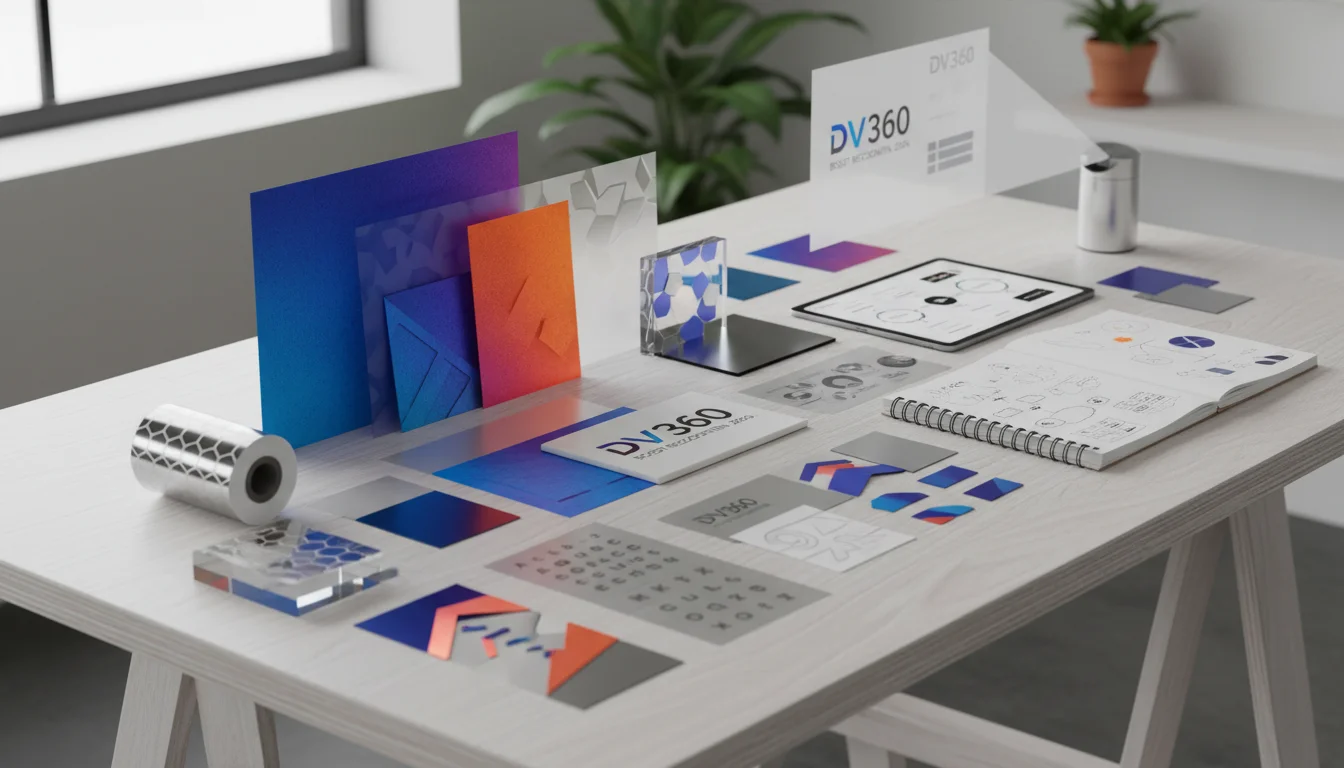
Consistent visual branding starts with having all your approved assets in one place and standardized. Too often, marketers let individual designers or campaign managers upload assets ad-hoc which leads to a mess of different logo versions, off-brand color codes, and random fonts that erodes brand recognition over time. DV360’s Creative Library is built to stop that from happening.
Uploading Core Brand Elements
Inside your DV360 account, go to the left-hand navigation bar and click on Creatives, then select Creative Library. You’ll see options to upload different assets. To lock down your visual brand, focus on these:
- Logos: Click New, then Upload Image. Get your primary logo in there in multiple formats, especially an .SVG for scalability and a high-resolution .PNG with a transparent background. I always upload at least three versions: the main full-color logo, a monochrome (usually white) version for dark backgrounds, and a simplified icon for tiny ad placements. Make sure the file names are crystal clear, like “BrandName_Logo_FullColor_RGB.png.”
- Brand Fonts: DV360 doesn’t host custom font files for all creative types, but you can upload images of text using your font or stick to specific Google Fonts that are close to your brand guidelines. For any HTML5 creatives, your developers have to be referencing the approved web fonts in the code. For static image ads, the text is just embedded as part of the graphic, so make sure it’s using your brand’s official typeface. A consistent typeface is a subtle thing, but it builds familiarity fast.
- Color Palettes: This isn’t an “asset” you upload, but your team needs a document with the exact Hex or RGB codes from your brand guidelines. When anyone is building creatives in DV360’s Ad Canvas or setting up Dynamic Creative, they must use those exact codes. Even slightly off-brand colors create a disjointed experience for the user.
Pro Tip: Use folders inside the Creative Library for “Logos,” “Product Shots,” “Backgrounds,” etc. This organization isn’t just for tidiness, it saves a ton of time during creative builds and prevents people from grabbing the wrong file. A 2024 IAB report on digital ad operations found that well-organized asset libraries can cut creative production time by up to 15% on complex campaigns.
Establishing Naming Conventions
A strict naming convention for your assets isn’t optional. It stops confusion and makes sure the right visuals are used every time. Instead of “logo.png,” you need something like “BrandName_PrimaryLogo_FullColor_2026.png.” For product images, use a system like “BrandName_ProductX_HeroShot_Q12026.jpg.” This level of detail feels like a lot at first, but it really pays off when you’re juggling hundreds of creative variations.
Common Mistake: Uploading low-resolution images or files with weird aspect ratios. This forces designers to stretch or crop assets, which results in pixelated, unprofessional-looking ads that completely undermine your brand’s credibility and recognition.
Expected Outcome: You’ll have a centralized, organized library of all approved visual assets. This makes it practically impossible for a campaign manager to use an old logo or an off-brand color by mistake. This consistency is the foundation for strong visual branding.
Step 2: Implementing Visual Branding with Dynamic Creative Optimization (DCO)
With your assets organized, you can start deploying them intelligently across your display campaigns, especially when you’re running at scale. Dynamic Creative Optimization (DCO) in DV360 lets you serve personalized ad variations without sacrificing your visual brand identity. It’s where your brand guidelines get automated.
Configuring Data-Driven Feeds for Visual Elements
DCO runs on data feeds. Most people use them for product catalogs, but you can also use them to control visual branding elements based on audience segments or campaign goals. Go to Creatives, then Dynamic Creatives, and either start a new one or edit an existing setup.
- Feed Setup: You’ll be working with a Google Sheet or a CSV file. Go beyond just product info and add columns for your visual assets. For example, you could have:
logo_url_dark_background: The URL pointing to your brand’s white logo.logo_url_light_background: The URL for your full-color logo.hero_image_style: A text field like “lifestyle” or “product-focused” that can trigger different sets of background images.call_to_action_color_hex: The exact Hex code for your CTA button which might need to change based on the background but must stay within your approved brand colors.
- Creative Template Mapping: Inside the dynamic creative builder (whether it’s Google Web Designer or DV360’s Ad Canvas), you map these feed columns to elements in your ad. So, the “Logo” element in your template would be programmed to pull from either
logo_url_dark_backgroundorlogo_url_light_backgroundbased on a rule you set (e.g., if the background is dark, use the white logo).
Pro Tip: Use the built-in rules engine in DV360 to set up conditional logic. A real-world example would be: “IF audience segment is ‘New Customer’ THEN use hero_image_style = ‘lifestyle’ AND call_to_action_color_hex = ‘#FF0000’ (your primary brand CTA color).” This keeps your visuals consistent even while the message changes.
Using Ad Canvas for Branded Templates
For simpler DCO or just for creating standard display ads, DV360’s Ad Canvas (under Creatives > Ad Canvas) is a great tool. You can build templates right in the platform, pulling in your approved logos, brand colors, and font styles from the library. The trick is to create a few core templates that really capture your brand’s visual feel, and then just duplicate them when you need to make variations.
When you’re designing in Ad Canvas:
- Always plug in the exact Hex codes for backgrounds, text, and buttons. No eyeballing it.
- Pull your approved logo directly from the Creative Library.
- Stick to the available web-safe fonts that are the closest match to your brand’s typography.
Common Mistake: Personalizing so much that the brand gets lost. DCO is powerful, but your core visual DNA (logo, primary colors, typography style) has to stay the same. A Nielsen study from 2023 showed that ads with consistent branding across different variations had a 22% higher brand recall rate than ads where the visuals were all over the place.
Expected Outcome: You get display ads that change their message and secondary images for different audiences, but they still have a strong, consistent visual identity because the logos, colors, and design language are locked in. This balance is what drives both relevance and brand recognition.
Step 3: A/B Testing Visual Elements for Brand Recall
Even with solid brand guidelines, your assumptions about what an audience will actually respond to can be flat-out wrong. You have to A/B test to get empirical proof of which visual elements are doing the heavy lifting for brand recognition and recall. For that, you use the Experiment tab in DV360.
Setting Up Visual Branding Experiments
Go to Campaigns, pick the campaign you want to test, and click the Experiments tab. Then hit New Experiment.
- Define Your Hypothesis: What are you actually testing? Be specific. For example:
- “A bigger logo in the top-right corner will get higher brand recall than our current small logo in the bottom-left.”
- “Using one of our brand illustrations as a background will drive more brand awareness than a standard product photo.”
- “A CTA button using our secondary brand color will get better brand recognition than one in our primary brand color.”
- Create Variations: Create at least two creative versions that differ *only* in the one element you’re testing. For instance, Creative A gets the logo top-right, Creative B gets it bottom-left, and everything else, the copy, the product shot, the CTA text, is identical. Upload these as distinct creatives into your Creative Library.
- Configure Experiment Groups: In the experiment setup, define your control (Creative A) and your challenger (Creative B). Split your budget or impressions evenly between them, usually a 50/50 split.
- Select Metrics: CTR and conversions are fine, but for this kind of test, you have to focus on brand lift. DV360 lets you run brand lift surveys (often with third-party partners) to measure this. You must select “Brand Awareness” and “Ad Recall” as your main success metrics. Without them, you’re just guessing about brand impact.
Pro Tip: Let the experiment run long enough to matter, which is usually at least 2-4 weeks with enough impressions to reach statistical significance. Don’t stop it early. I’ve seen so many marketers kill a test after a few days because of an early trend, only to find out it would have reversed if they’d just waited. Brand recall takes time to build.
Analyzing Experiment Results for Visual Impact
After the experiment ends, go back to the Experiments tab to see the results. Look straight at the brand lift data. Did the creative with the bigger logo actually produce a statistically significant lift in ad recall? If it did, you’ve just found your new best practice for logo placement.
Common Mistake: Testing too many things at once. If you change the logo size, the background color, and the headline in one test, you have no idea which change actually caused the result. Isolate one visual element per experiment to get clean, actionable insights.
Expected Outcome: You’ll have hard data on which specific visual choices, logo size, placement, color schemes, image styles, are most effective at increasing brand recognition and recall with your target audience. This data lets you continuously refine your visual strategy.
Step 4: Monitoring and Reporting on Visual Branding Effectiveness
The last step is actually measuring the impact of all this work. If you’re not reporting on it, you’re flying blind. DV360’s reporting can give you clear answers on how your visual branding is performing if you set it up right.
Building Custom Reports for Brand Metrics
Go to Reports in the left-hand menu, then click New Report and choose Standard Report.
- Dimensions: You need to include dimensions that let you slice the data and see how your branding is doing. Good ones to add are:
- Creative: So you can see performance for each individual ad.
- Creative Type: To compare how your static images are doing against your HTML5 ads.
- Line Item: To see performance across different targeting tactics.
- Metrics: Here’s where you have to look beyond the usual suspects like Impressions and Clicks. Make sure you include:
- Brand Awareness (Survey): If you’re running brand lift studies, this shows you the percentage lift in awareness.
- Ad Recall (Survey): This is the big one. It measures how many people actually remember seeing your ad.
- Viewability Rate: A great-looking ad does nothing for recognition if no one sees it. You need a high viewability rate.
- Video Completion Rate (VCR): For video ads, strong visual branding has to be compelling enough to hold a viewer’s attention.
- Date Range and Filters: Set your date range. It can be useful to compare performance from before and after you rolled out a visual branding update. You can also filter by specific campaigns or creatives that are using your new visual guidelines.
Pro Tip: Schedule these brand-focused reports to run every week or two. Regular monitoring helps you spot trends, like a dip in brand recall that might mean your creative is getting stale or you need a new visual approach. I often set up a dedicated brand health dashboard for clients that pulls this data directly from DV360.
Interpreting Data for Actionable Insights
When you look at your reports, you have to interpret the numbers, not just read them. For instance, if a specific creative has low Ad Recall but high viewability, that’s a strong sign the visual branding isn’t prominent enough or it just looks too generic. On the other hand, if you have high Ad Recall but a so-so CTR, that suggests your visuals are memorable, but your call to action or the offer itself might need some work.
Common Mistake: Focusing only on direct response metrics like clicks and conversions while ignoring brand lift. Conversions are obviously important, but strong visual branding builds long-term equity that directly affects your future conversion rates. A brand people recognize is a brand they trust, and trust is what drives sales.
Expected Outcome: You’ll have a clear, data-driven picture of how well your visual branding is actually building brand awareness and recall. This feedback loop is what informs your future creative development and makes sure your visual identity is always connecting with your audience.
Building strong visual branding in display ads takes a systematic approach. It requires using platforms like DV360 for disciplined asset management, smart dynamic deployment, rigorous testing, and insightful reporting. When you centralize assets, automate creative variations, test your assumptions, and constantly monitor brand lift, your brand will be recognizable. Consider how AI is redefining PPC metrics in 2026, including CTR, as you develop your strategy. Understanding the impact of AI on PPC adjustments and AI mode mastery will also be important for optimizing your campaigns. Lastly, think about how to avoid PPC messaging mistakes to maintain that hard-won brand consistency.
What is visual branding in display ads?
It’s simply the consistent use of your brand’s look and feel, logos, colors, fonts, photo style, and general design, across all your ad creatives. The goal is to make people recognize your brand instantly, every single time they see an ad.
Why is consistent visual branding important for brand recognition?
Consistency builds familiarity and trust. When people see the same visual cues over and over, their brains start to connect those things to your brand without even thinking about it. This makes your brand easier to spot and remember in a marketplace full of noise. It basically makes it easier for customers to choose you.
How can I ensure my logo is always used correctly in display ads?
First, put all your approved logo files (different colors, formats, and sizes) into a central asset library, like the one in DV360. Second, enforce strict naming rules so no one grabs the wrong one. Third, use dynamic creative templates that are programmed to pull only from that approved library. Finally, do spot checks on live campaigns to catch any mistakes.
What metrics should I track to measure the effectiveness of visual branding?
You need to look past just clicks and conversions. The key metrics for measuring visual branding are Brand Awareness and Ad Recall, which you get from running brand lift studies. Also, keep a close eye on Viewability Rate (was the ad even seen?) and Brand Search Volume (are more people searching for you by name?). These tell you if your ads are actually building recognition.
Can dynamic creative optimization (DCO) help with visual branding consistency?
Yes, DCO is perfect for this. It lets you keep your branding consistent while still personalizing the ad content. By using templates and data feeds, you can ensure that core brand elements like your logo, main colors, and font styles stay exactly the same in every ad variation, even when the product image or headline changes for different audiences.


