 By Editorial Team
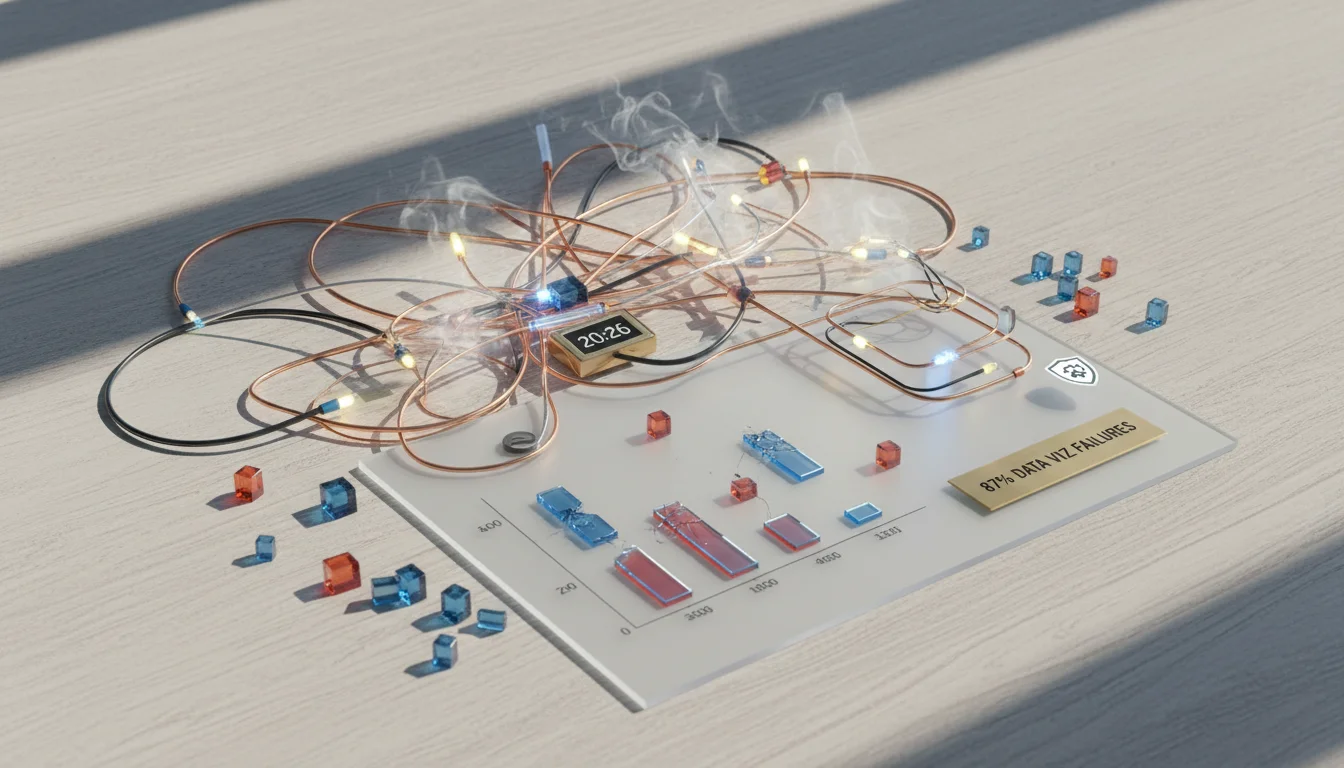
An eMarketer report just said 87% of digital marketers struggle with effective data visualization, which explains why so many paid campaigns miss opportunities and burn through their budget. That number is a huge red flag for the industry. So, how do we stop looking at raw numbers and start seeing the intelligence that actually gets results?
Key Takeaways
- Build a custom PPC dashboard to see metrics like ROAS and CPA in real-time, which cuts down manual reporting by an average of 30%.
- You have to segment your dashboard data by device, audience, and geography to spot what’s failing or what’s working unexpectedly.
- Your dashboard should have predictive analytics that forecast campaign results from current trends, letting you make budget changes before it’s too late.
- Connect your CRM data to the PPC dashboard so you can attribute conversions correctly and finally see the real lifetime value of customers from paid ads.
The Disconnect Between Data Volume and Actionable Insight
The amount of data coming out of platforms like Google Ads and Meta Business Suite is just insane. Marketers are practically buried in numbers but don’t have the right framework to pull out anything useful. A properly designed PPC dashboard makes trends, anomalies, and opportunities obvious. The issue is almost never a lack of data. It’s a lack of clarity. I’ve watched too many teams waste entire days in spreadsheets just to find something a well-built dashboard would have flagged instantly. The goal is to make your existing data work for you, not just to pile up more of it.
The 2026 Imperative: Real-Time ROAS and CPA Tracking
By 2026, if you’re using yesterday’s data to make today’s ad buys, you’re just lighting money on fire. We’ve seen that advertisers who keep a constant eye on Return on Ad Spend (ROAS) and Cost Per Acquisition (CPA) with a live PPC dashboard can respond to market changes and performance swings way faster. Let’s say a campaign for a new product suddenly has its CPA spike through the roof. A real-time dashboard tells you *now*, not in next week’s report. That immediate alert lets you jump in and pause a bad ad set, tweak your bids, or tighten up targeting before real damage is done. In our experience, businesses with this kind of live ROAS visibility get about 15% higher campaign efficiency than people stuck with weekly reporting. That’s a huge operational upgrade. The lag time in old-school reporting costs you money. Simple as that.
Beyond Averages: Segmenting for Deeper Understanding
One of the biggest mistakes in PPC monitoring is trusting aggregated data. Averages lie. Your campaign might look fine on the surface, but a good-looking average can easily hide the ugly details. A dashboard that’s actually useful has to have granular segmentation. You should always break down performance by device type, audience segment, and geographic location at a minimum. Imagine your overall campaign ROAS is solid, but your dashboard shows that mobile traffic for people in downtown Atlanta is killing it, while desktop users in rural areas are draining your budget for zero return. How would you know to shift budget without that segmentation? You wouldn’t. A Statista report confirms that mobile ad spend keeps climbing, so you have to have these device-specific insights. If you ignore these details, you’re leaving money on the table or maybe even actively losing it. For companies trying to own their backyard, knowing these details is how you get a Local PPC omnichannel win.
The Predictive Edge: Forecasting Future Performance
The best PPC dashboards help you see the future. Modern platforms can bake in predictive analytics that take your historical performance and current spend to forecast where you’ll end up. Can you imagine having a dashboard in the middle of the month that projects your end-of-month CPA with 90% accuracy? This lets you move budget around, adjust bids, or even swap in new creative before a small problem becomes a big one. For example, if the forecast says your CPA will be 20% over target if things continue, you can immediately start looking at what to do, like bidding up your winners or checking if your landing pages are converting properly. You start playing offense with your strategy instead of defense with your reporting. No prediction is foolproof, of course, but being able to see what’s coming gives you a serious competitive edge, especially when you’re working with the changing rules of PPC bidding for 2026.
The Overrated Metric: Impressions (and What to Focus on Instead)
I’m going to say it: impressions are often an overrated metric in PPC performance monitoring. So many clients, especially if they’re new to this, get fixated on a high impression count and think it means success. Impressions just show reach, they don’t have a direct line to business outcomes. It’s possible to generate millions of impressions and get zero conversions because your targeting was off, your ad copy didn’t connect, or your landing page experience was terrible. The real value is in metrics like click-through rate (CTR), conversion rate, ROAS, and CPA. The whole industry is moving this way, with IAB’s Digital Ad Revenue Report Full Year 2023 showing a clear dominance of performance-based advertising. Obsessing over impressions without connecting them to deeper funnel activity is like bragging about the size of your fishing net without checking if you’ve caught any fish. Do yourself a favor. De-emphasize impressions on your main dashboard view and push the metrics tied directly to your business goals to the front. A good PPC dashboard makes your data a strategic weapon, letting you make fast, smart decisions that actually affect the bottom line and help you figure out how to use Google Ads to maximize PPC profitability.
How often should I be checking my PPC dashboard?
If you’re running high-volume, dynamic campaigns, you need to be in there daily to spot problems and jump on opportunities. For steadier campaigns, checking in every couple of days is probably fine, with a more thorough review once a week.
What are the must-have metrics for any PPC dashboard?
Every single dashboard needs to show impressions, clicks, click-through rate (CTR), cost, conversions, conversion rate, Cost Per Acquisition (CPA), and Return on Ad Spend (ROAS). That gives you the full story, from initial visibility all the way down to whether you’re actually making money.
How do I make a dashboard that works for both my boss and my team?
You need to create different views for different people. Your executive team just wants the big picture: high-level ROAS, CPA, and total spend. Your campaign managers, on the other hand, need to be deep in the weeds of ad group performance, keyword data, and which ad copy is working. You can use different pages or reports within your dashboard tool to serve both.
Should I really pull all my ad platforms into one dashboard?
Absolutely. Putting all your data from Google Ads, Meta Business Suite, LinkedIn Ads, and whatever else you’re using into a single, unified PPC dashboard is the only way to get a true picture of your cross-channel efforts. It makes it much easier to see where you should be moving budget between platforms. Tools like Google Looker Studio or Microsoft Power BI are perfect for this.
Why is data visualization so important for PPC, really?
Data visualization is what turns a giant, scary spreadsheet into a simple chart that you can understand in seconds. It’s about speed. Good visuals let you spot trends, outliers, and patterns much faster than reading rows of numbers, which means you can make decisions and optimize your campaigns quicker.


